Goat Pass
New scene
Tobias knelt to tend to an injured Roumat goat .
He remembered old stories in kaleh’k.
/new-scene
Start writing, or type / for templates and more
The manuscript stays at the centre. The outline, useful reference cards and writing settings remain close enough to use, yet discreet enough to let the prose flow.
Move a scene to another chapter, swap parts or reposition a revelation. The outline evolves with the story and remains flexible at every stage.
Focus mode hides panels, menus and project details. Context panels appear when you hover over them and close again when the pointer leaves.
Frequent actions deserve quick access. Plumelin provides shortcuts that keep the experience fluid, whether you are a new or experienced user.
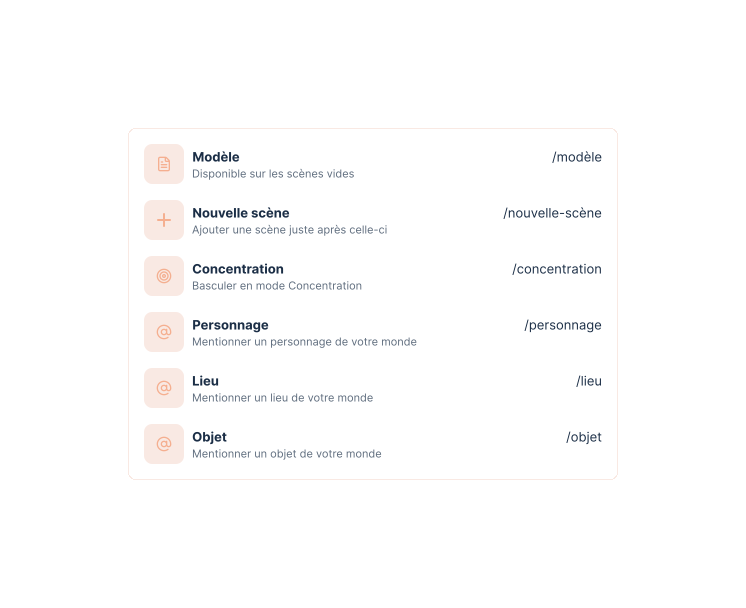
Type / in the editor to add a template, create a scene or mention an element of the world without interrupting your flow.
Switch languages whenever you need to. Spelling and typography remain guided as you type.
"Are you coming?" Ysée asked.
« Tu viens ? » demanda Ysée.
When a scene mentions a character, place, species or another element of the world, hover to see its summary without unnecessary navigation.
Draft, chapter in progress, passage under review or complete manuscript: the text can enrich the world, circulate for feedback or become a clean file without rebuilding the project elsewhere.
Characters, places and objects remain close to the passages where they appear.
Explore worldbuildingA selected passage, scene or chapter can receive feedback without disrupting the project.
Organise the reviewThe same project supports simple or advanced exports, depending on the moment and purpose.
Prepare exportsWrite the first passage, then let the outline, context and language of the book take their place around the manuscript.
Start writing